Icon of program: PhotoLine

PhotoLine for Windows

  • Trial version
  • 3.9
    60
  • 13.1K
  • V17.10

Take complete control of your photo editing

Who says you absolutely need Photoshop when editing images? PhotoLine is just another example that solid alternatives photo editing tools do exist.

Top Recommended Alternative
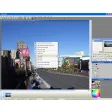
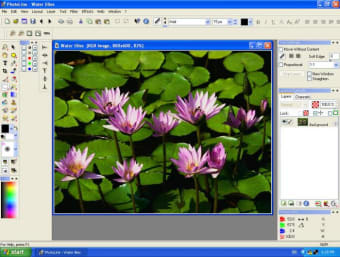
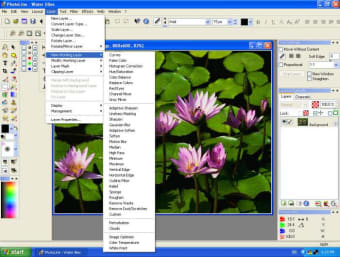
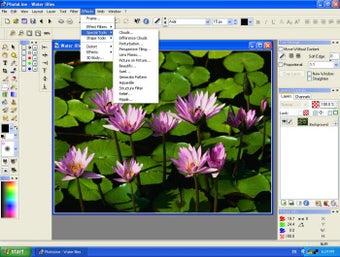
The application loads very fast compared to Photoshop, and offers a very similar interface, with most of your tools placed on the left. You'll get access to a wide range of layers, effects and filters from the menu bar and various viewing modes. The program also lets you easily create HDR images and offers full masking support.

Photoline includes a web tab, from which you can create animations, buttons or images. In 'web export' you'll be able to add last second touches and actions such as converting to grey or brightening shadows.

A solid image editor needs to be able to save to many formats, which PhotoLine does. You can choose from over 20 different types including Macintosh icon and AVI.

To be honest though, we'd have to say that PhotoLine compares best with Photoshop Elements, simply because it doesn't have as many features as the complete Photoshop.

In all though, PhotoLine remains an excellent image editing application with many tools and effects to get the most out of your pictures.

Changes

Many improvement and fixes which can be read in much detail at www.pl32.com/pages/rnote.php

  • Pros

    • Lots of layers, effect and filters
    • HDR image support
    • Web export
    • Many formats
  • Cons

    • Slightly less advanced than Photoshop
 0/4

App specs

  • License

    Trial version

  • Version

    17.10

  • Latest update

  • Platform

    Windows

  • OS

    Windows 2003

  • Language

    English

    Available languages

    • English
    • French
    • Italian
  • Downloads

    13.1K

    Last month's downloads

    • 19
  • Size

    18.98 MB

  • Developer

Program available in other languages


Icon of program: PhotoLine

PhotoLine for PC

  • Trial version
  • 3.9
    60
  • 13.1K
  • V17.10

User reviews about PhotoLine

3.9

1 reviews

Add review

Main reviews for you

  • Anonymous user

    Best Photoshop alternative.. Since Adobe CC was released, I was looking for a new program. I was almost turned off from PhotoLine because of the icon, but glad I decided to try it anyway. Wow! This program is super fast and lean unlike Photoshop and can replace Photoshop for many users (definitely not all). I much prefer the user interface. Give the trial a try. Pros: Super fastAffordableNot AdobeGreat supportAmazingly powerful

More

You may also like

Alternatives to PhotoLine

Explore Apps

Latest articles

Laws concerning the use of this software vary from country to country. We do not encourage or condone the use of this program if it is in violation of these laws.
Softonic

Is PhotoLine safe?

Score result: Clean

This file passed a comprehensive security scan using VirusTotal technology. It is safe to download.

  • Virus free
  • Spyware free
  • Malware free
  • Verified by Security Partners

    VirusTotal logo

Scan Info

Last scan
Wednesday, December 2, 2020
Scan provider
VirusTotal

Softonic security commitment

PhotoLine has been thoroughly scanned by our advanced security systems and verified by industry-leading partners. This file comes from the official developer and has passed all our security checks, showing no signs of viruses, malware, or spyware. For more information, visit our Security and Trust Center